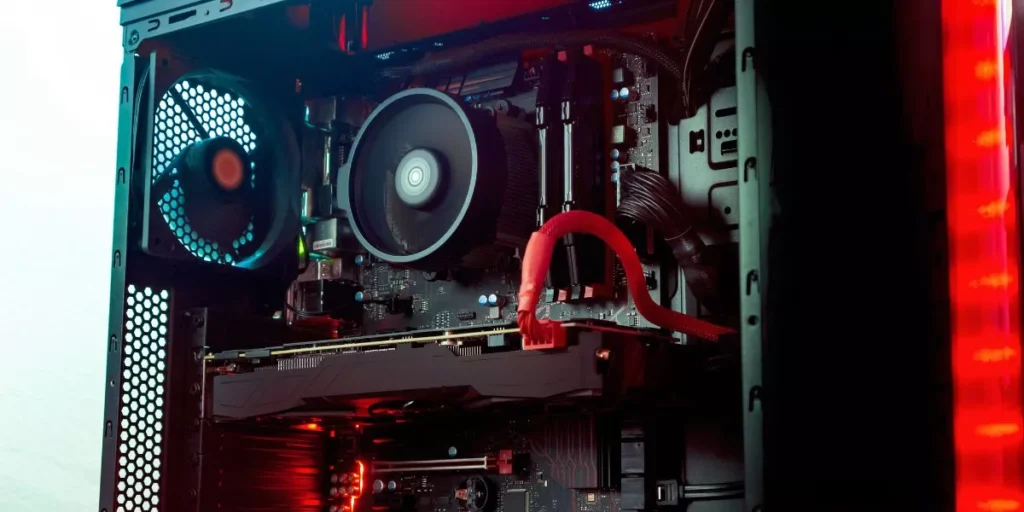
When embarking on the journey of building a gaming PC step by step, you may find yourself faced with a myriad of choices and components to consider. From the CPU to the GPU, each piece plays a vital role in the performance of your machine. But before you dive into the intricate process of assembly, there’s a crucial step that often gets overlooked – one that can make or break your entire build. Curious to uncover this essential first step? Let’s explore further.
Choosing the Right Components
When building a gaming PC, your first step is to carefully select the right components to ensure optimal performance. The central processing unit (CPU) is like the brain of your system, handling all tasks efficiently. Make sure to choose a CPU that matches your gaming needs and budget.
The graphics processing unit (GPU) is crucial for rendering stunning visuals in your games. Select a GPU that can handle the graphics demands of the latest titles.
Random access memory (RAM) is where temporary data is stored for quick access by the CPU. Ensure you have enough RAM to smoothly run your games and other applications simultaneously.
The motherboard is the backbone of your PC, connecting all components together. Choose a motherboard that’s compatible with your CPU and has the necessary features for your setup. Additionally, consider storage options such as solid-state drives (SSD) for faster load times.
Selecting the right components is vital for building a gaming PC that meets your performance expectations.
Preparing Your Workspace
To set the stage for assembling your gaming PC efficiently, ensure your workspace is clean, well-lit, and free from clutter. A tidy workspace will make it easier to locate tools and components, reducing the risk of misplacing or damaging parts. Make sure you have enough space to spread out your components and work comfortably.
A clean surface will help prevent dust and debris from getting into your PC components, which could affect performance later on.
Having good lighting is crucial for seeing small screws and connectors clearly. Position your workspace near a natural light source or use bright artificial lighting to illuminate your area. This will help you avoid mistakes and make the assembly process smoother. Additionally, consider using an anti-static mat or wrist strap to prevent damaging sensitive electronic components with static electricity.
Assembling the Gaming PC
Begin by organizing your components in a systematic manner, ensuring easy access during the assembly process. Lay out your motherboard, CPU, RAM, GPU, storage devices, power supply, and cooling system in a clean, well-lit area. Follow the manual instructions provided with each component to avoid confusion.
Next, install the CPU onto the motherboard by lifting the CPU retention arm, aligning the CPU with the socket, and gently lowering the arm back into place. Apply thermal paste before attaching the CPU cooler to ensure optimal heat dissipation.
Insert your RAM modules into the designated slots on the motherboard, making sure to align the notches correctly. Mount the motherboard into the case using the standoffs provided, securing it with screws.
Connect the power supply to the motherboard, CPU, GPU, and storage devices using the appropriate cables. Install the GPU into the PCIe slot, ensuring a secure fit. Finally, attach the storage devices and any additional components before closing up the case.
Testing and Troubleshooting
For a smooth gaming experience, ensure you thoroughly test your newly assembled PC and troubleshoot any issues promptly. Start by powering on your system and checking if all components are functioning correctly. Verify that the fans are spinning, lights are on, and there are no unusual beeps coming from the motherboard.
Next, enter the BIOS to confirm that all hardware is recognized and properly configured. Check the CPU and GPU temperatures to ensure they’re within safe limits. Run benchmarking software to stress test your components and identify any potential stability issues.
If you encounter any problems during the testing phase, begin troubleshooting by double-checking all connections and reseating components if necessary. Update your drivers and BIOS to the latest versions to address compatibility issues.
In case you’re still facing issues, consult online forums or contact customer support for assistance. Remember, thorough testing and prompt troubleshooting are key to enjoying a seamless gaming experience on your newly built PC.
Trending Products